
Stripe
Invite Sydney Web Experts to your Stripe account as a team member.
Step-by-step
- Sign in to Stripe and open the team settings page at dashboard.stripe.com/settings/team.
- Select New member.
- Enter production@sydneywebexperts.com.au as the team member email address.
- Choose the role for the work. Administrator is used where full account access is required; a narrower Payment or Support role may be enough for reporting or refunds.
- Select Send invites, and let your project manager know which Stripe account you shared.
What the screens look like
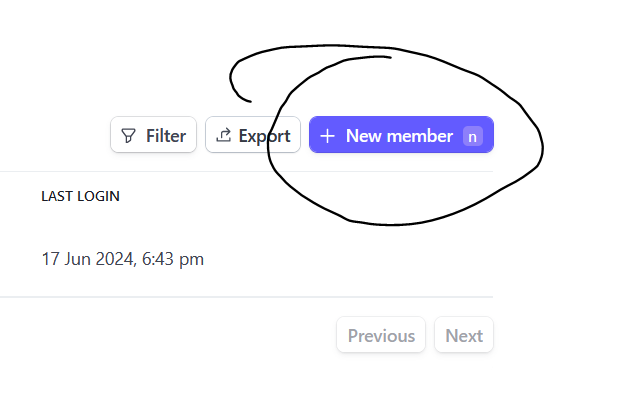
Step 2: New member sits at the top right of the team settings page.
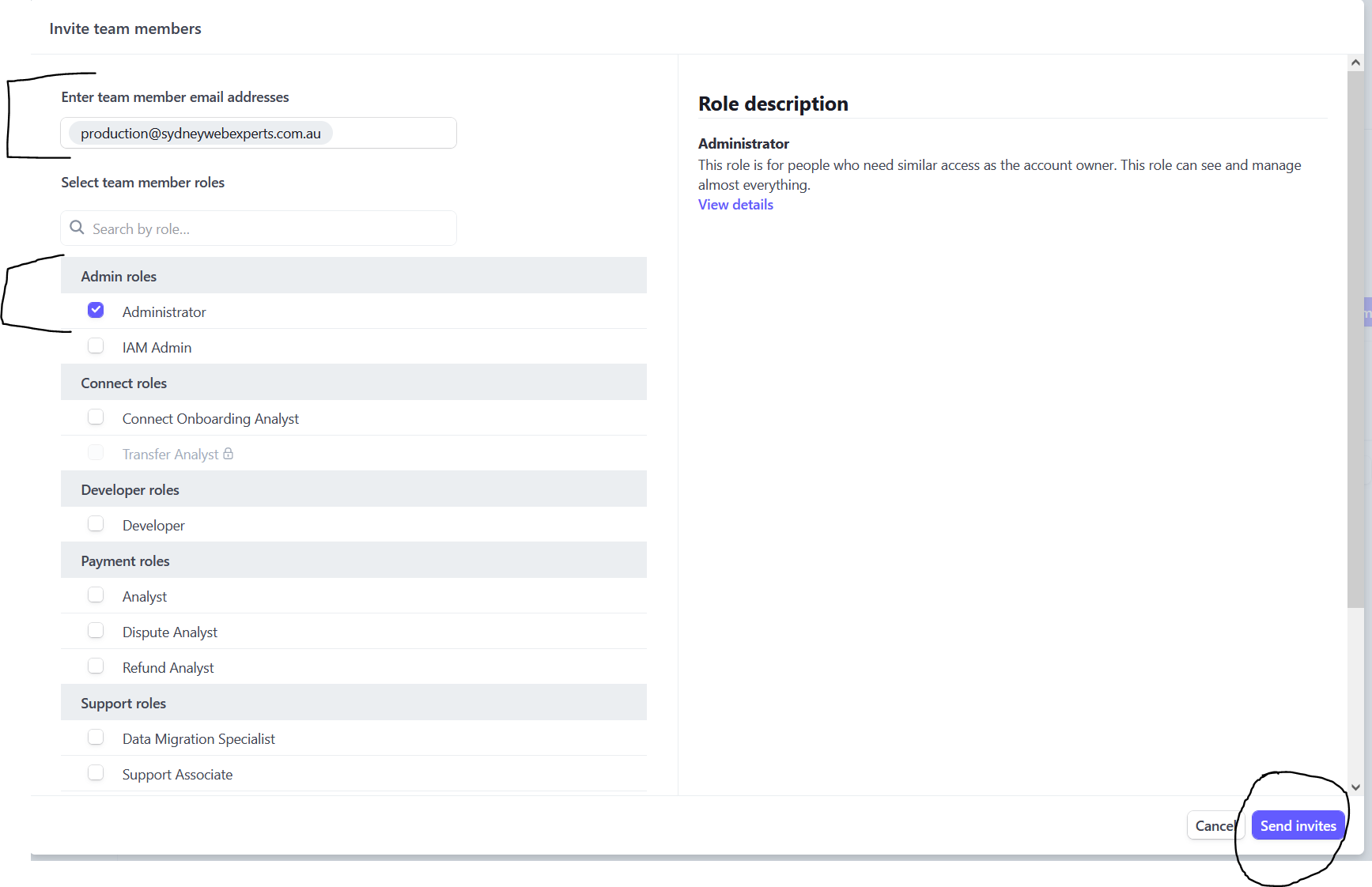
Steps 3 to 5: the email address, the role, and Send invites.